ShortKey
Your keyboard, fully automated
Hotkey and shortcut manager for Windows. Bind any key combination to text expansion, app launching, macro sequences, or clipboard slots — organized into profiles with per-app targeting. Works silently in the background so every shortcut fires exactly when and where you need it.
Free version includes core shortcut features. Pro adds cloud sync, advanced macros & priority support.
Why Choose ShortKey
Global Hotkey Binding
Assign any key combination system-wide. Conflict detection warns you before saving so your shortcuts never clash
Text Expansion
Type long phrases, signatures, or code snippets instantly. Use dynamic variables like {date}, {time}, and {clipboard}
Macro Recorder
Record keystrokes and mouse actions live, or build sequences manually with delays, scripts, and loop steps
Profiles
Organize shortcuts into separate profiles — switch between work, gaming, or any custom context in one click
Choose Your Edition
Both editions include the full application — Pro unlocks advanced features
ShortKey Free
- Global hotkey binding
- Text expansion with variables
- App & URL launcher
- Basic macro recorder
- Profile system
- Advanced macro scripting
- Unlimited clipboard slots
- Priority email support
ShortKey Pro
- All Free features plus:
- Advanced macro scripting
- Unlimited clipboard slots
- Script runner (batch & PowerShell)
- Process-specific targeting
- Custom hotkey bindings
- Priority email support
- Monthly updates
Everything ShortKey Can Do
Six action types, full macro control, and smart profile management
Shortcut Action Types
- Text Expansion — paste predefined text with dynamic variables
- App Launcher — open any application with optional arguments
- URL Opener — jump to any URL in your default browser
- Folder Opener — open File Explorer to a specific directory
- Macro — trigger a recorded or manually built action sequence
- Clipboard Slot — copy to or paste from a named clipboard slot
Text Expansion Variables
- {date} — today's date in default format
- {date:dd/MM/yyyy} — any custom date format
- {time} — current time
- {datetime} — combined date and time
- {clipboard} — insert current clipboard content
- {cursor} — position the cursor after pasting
Macro Features
- Live recording — capture keystrokes and mouse actions via overlay
- Type text, delays, and mouse click steps manually
- Mouse actions — left/middle/right click, double & triple click
- Run scripts — batch (.bat) and PowerShell (.ps1) with arguments
- Loop steps — repeat any block N times
- Wait for window — synchronize with a target window title
Shortcut Management
- Hotkey conflict detection before saving
- Category organization for quick filtering
- Per-shortcut enable/disable without deleting
- Process targeting — fire only in a specific application
- Execution counter and last-triggered timestamp
- Global search across all shortcuts (Ctrl+Shift+P)
Clipboard Slots
- Named storage slots for frequently used text
- Copy mode — save selected text into a slot via hotkey
- Paste mode — output a slot's contents anywhere
- Assign multiple slots to different hotkeys
Profiles & UI
- Multiple profiles with custom colors
- One-click profile switching from the sidebar
- Global on/off toggle for all shortcuts
- Status bar shows engine state and last triggered shortcut
- Toast notifications per shortcut (suppressible)
- Dark theme with collapsible sidebar navigation
ShortKey Screenshots
See ShortKey in action
1
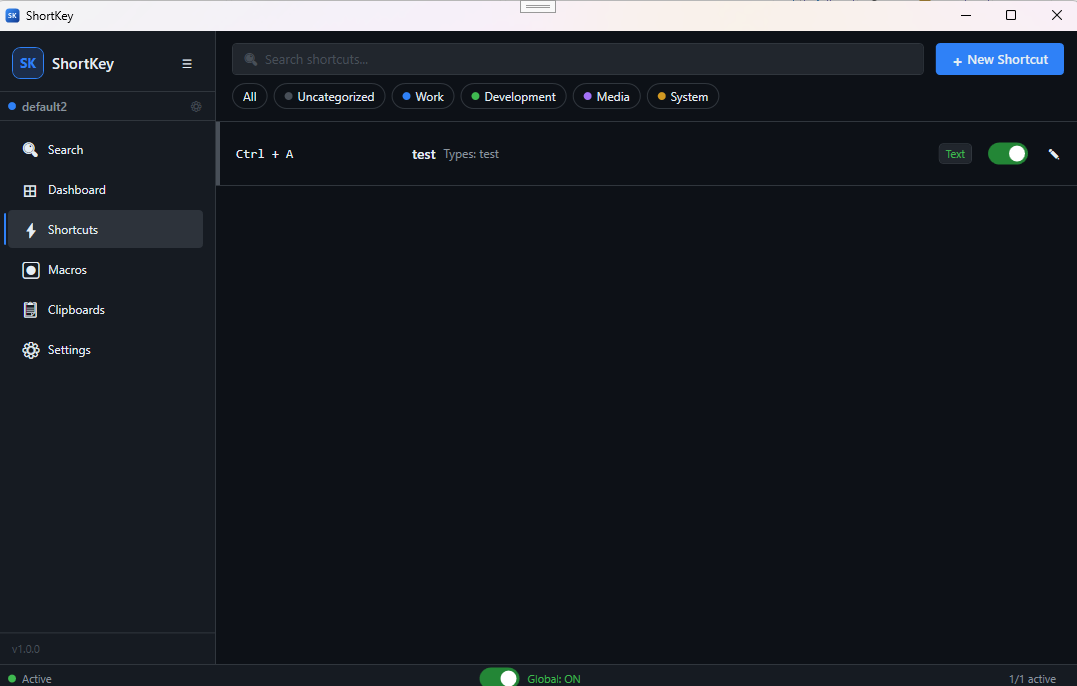
Main Interface
Shortcut list with categories, hotkey bindings, and global engine toggle
 2
2
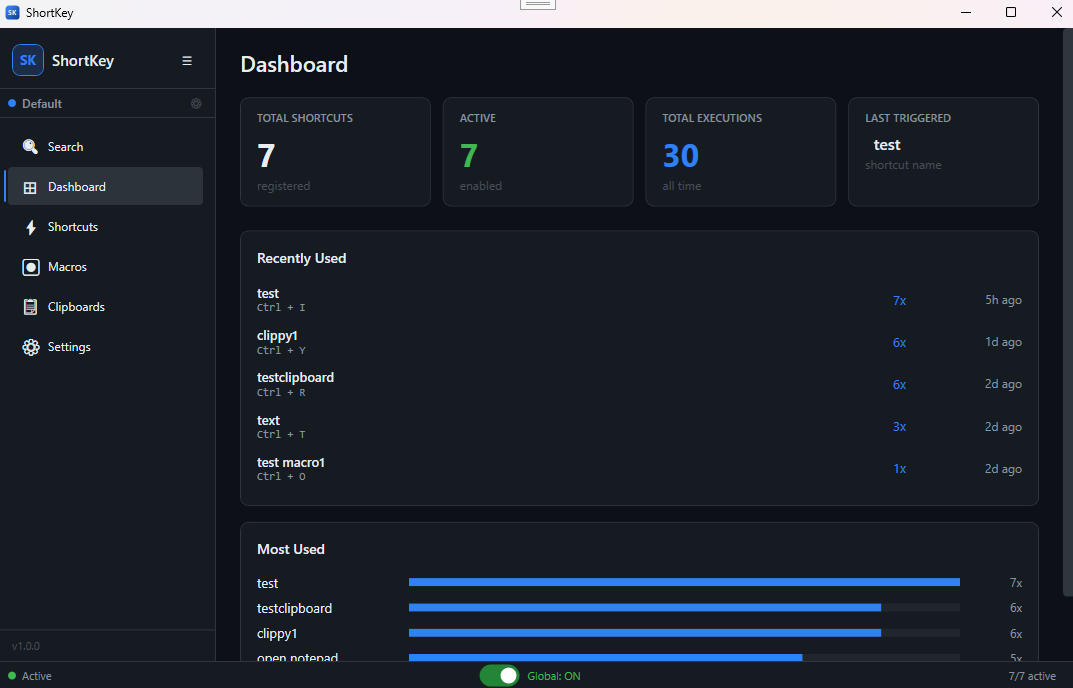
Dashboard
Overview of active shortcuts, profiles, and usage statistics
 3
3
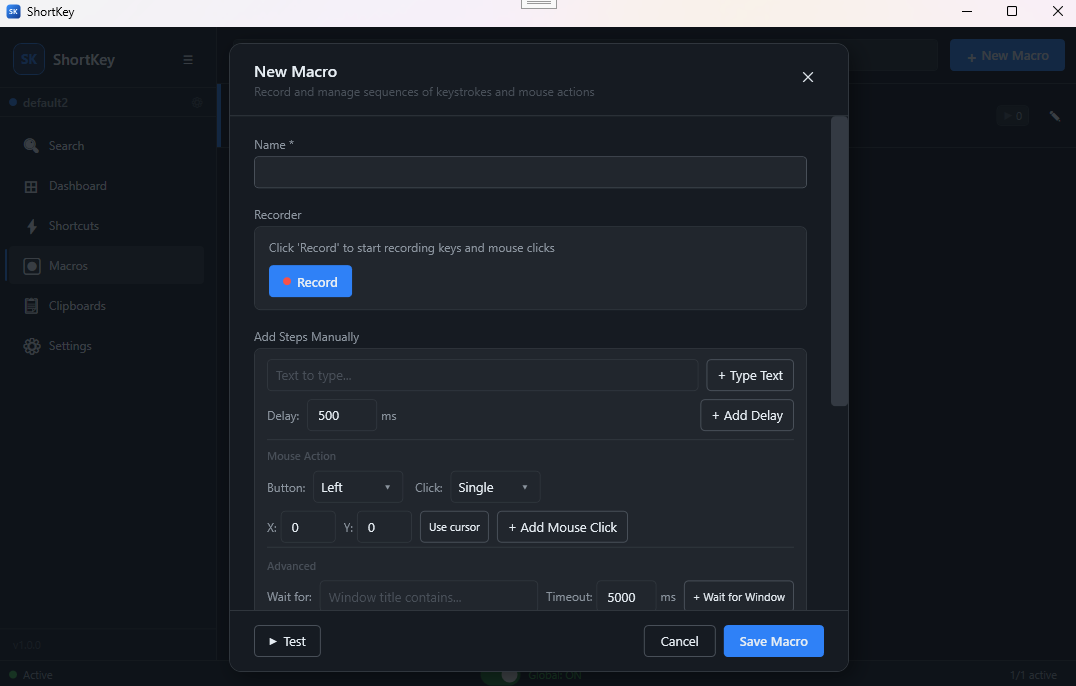
Macro Recorder
Build macro sequences with keystrokes, mouse actions, delays, and scripts
 4
4
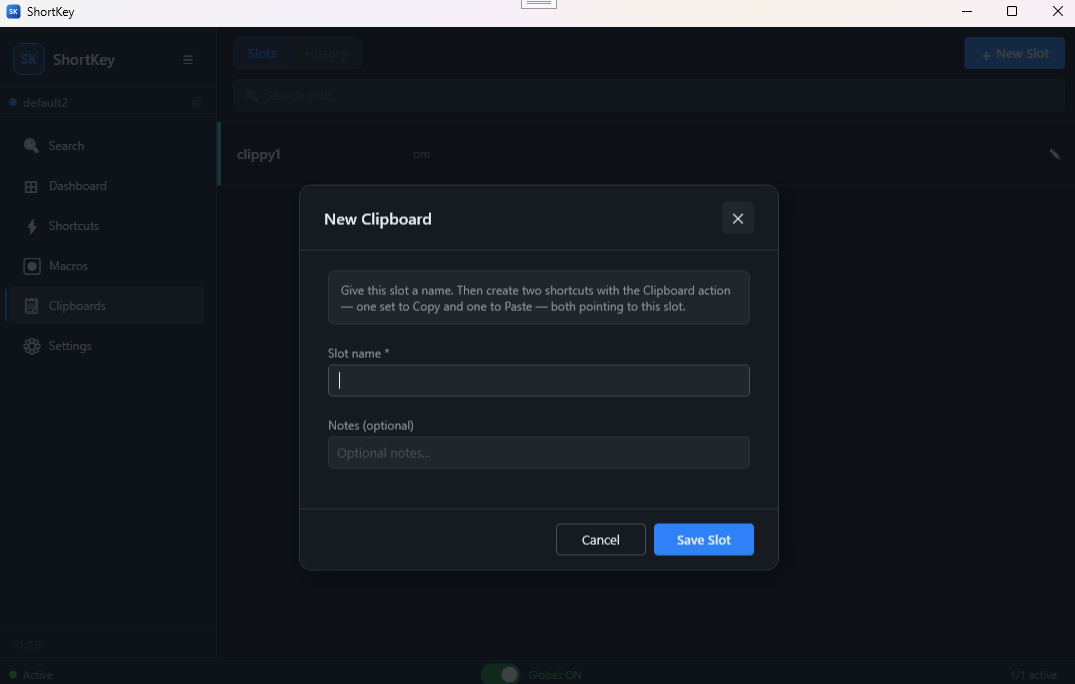
Clipboard Slots
Named clipboard storage slots with hotkey-triggered copy and paste
System Requirements
Frequently Asked Questions
Yes. ShortKey is free to download with core features including hotkey binding, text expansion, app launching, and the macro recorder. A Pro subscription ($9.99/mo) unlocks advanced scripting, unlimited clipboard slots, and priority support.
By default, shortcuts fire globally across all applications. You can optionally restrict any shortcut to a specific process so it only activates when that application is in focus — useful for app-specific bindings that would otherwise conflict.
Yes. ShortKey runs silently in the background after launch. The global engine toggle in the status bar lets you pause all shortcuts instantly without closing the app.
All shortcuts, macros, profiles, and clipboard slots are saved locally on your machine. Nothing is sent to any server — ShortKey works completely offline.
Yes, in two ways. You can use process targeting to restrict individual shortcuts to specific apps, or use profiles to keep separate shortcut sets and switch between them in one click.
Get ShortKey Today
Global hotkeys, text expansion, macros, and clipboard slots — free download or unlock Pro features