DevBuddy
40+ developer tools in one place
DevBuddy is a free all-in-one developer toolkit for Windows. It bundles 40+ utilities across 10 categories — text manipulation, code formatting, image processing, network tools, generators, security, and more — into a single clean application with real-time search and a favourites system. No subscription, no Pro tier, no strings attached.
Free forever. All 43 tools included. No account required.
Why Choose DevBuddy
Code Formatter
Format and beautify JSON, SQL, HTML, CSS, XML, JavaScript, Java, and C# — with minification, validation, and tree view
Real-Time Search
Instantly filter all 43 tools by name or keyword, plus pin your most-used tools to a Favourites section at the top
43 Tools, 10 Categories
Text, Programming, Design, Image, Generators, Network, Utilities, Audio, Security, and More — all in a single lightweight app
Truly Free
No account, no subscription, no Pro tier. Every single tool is included at no cost — now and always
All 43 Tools
Everything a developer needs, bundled in one place
Text Tools (11)
- Text Diff — compare two blocks side-by-side
- Case Converter — camelCase, PascalCase, snake_case & more
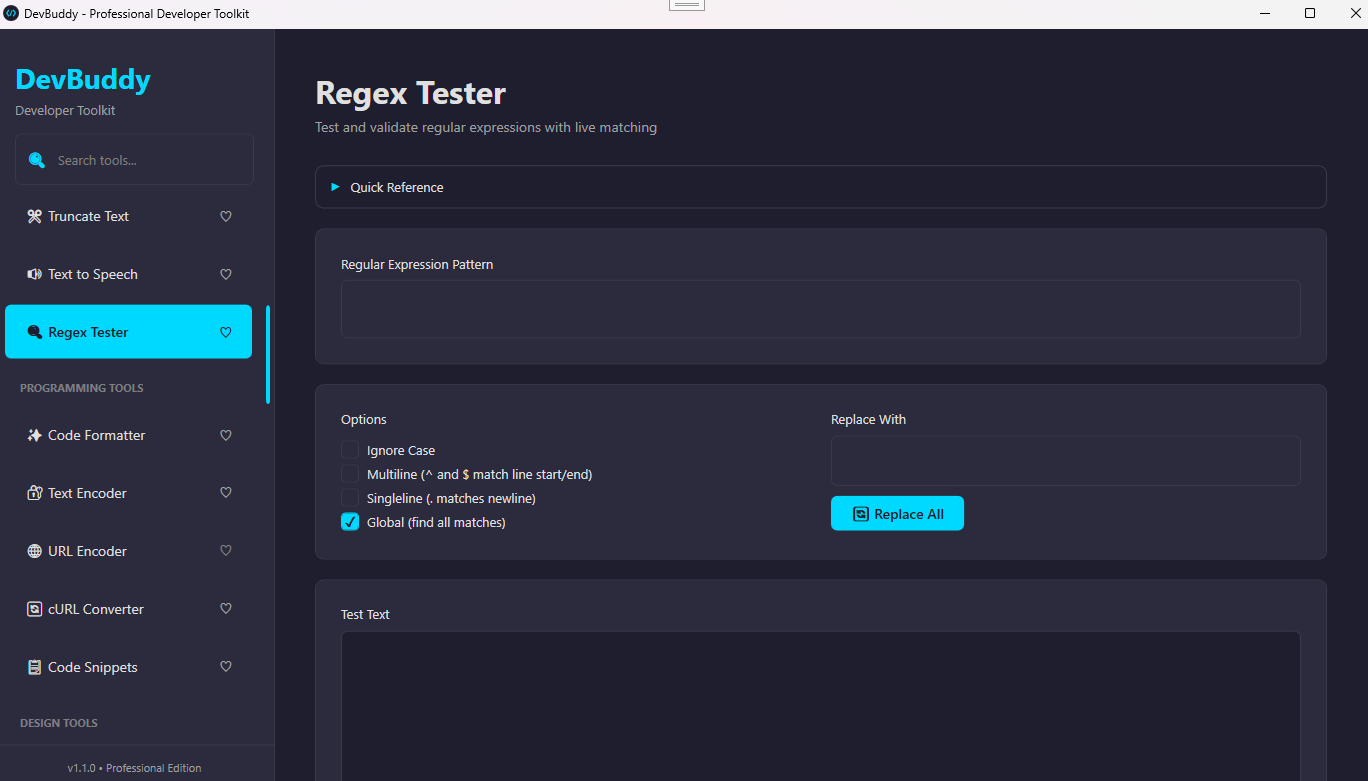
- Regex Tester — live pattern matching with flags
- Find & Replace — search and replace text patterns
- Word / Line Counter — character, word & line stats
- Text Line Sort — alphabetical & custom ordering
- Lorem Ipsum Generator — placeholder text on demand
- Text to ASCII Art — styled ASCII font output
- Text to One Line — collapse multiline text
- Truncate Text — cut to specified character limit
- Text to Speech — system TTS playback
Programming Tools (5)
- Code Formatter — JSON, SQL, HTML, CSS, XML, JS, Java, C#
- Text Encoder — Base64 & hexadecimal encode/decode
- URL Encoder — percent encoding & decoding
- cURL Converter — convert cURL to Postman-compatible format
- Code Snippets — save & manage reusable code templates
Generators (6)
- UUID Generator — generate unique GUIDs instantly
- Hash Generator — MD5 & SHA hashing
- QR Code Generator — from any text or URL, export PNG
- Password Generator — configurable length & character sets
- Random Number Generator — custom range & count
- Test Data Generator — names, addresses, companies (CSV/JSON)
Network Tools (3)
- HTTP Request Tool — GET/POST/PUT/DELETE with custom headers
- DNS Lookup — A, MX, NS & TXT record queries
- IP Address Checker — public & local IP info lookup
Image Tools (6)
- Image Converter — PNG, JPG, BMP, GIF, TIFF
- Image Compressor — reduce file size while preserving quality
- Image Cropper — crop & resize to specific regions
- Image to Base64 — convert images to data URI format
- Pixelate Image — apply mosaic blur effects
- Images to GIF — create animated GIFs from multiple frames
Design, Audio, Utilities & More (13)
- Color Picker — HSL canvas with RGB/Hex/HSL output
- CSS Gradient Generator — linear & radial gradients
- Timestamp Converter — Unix <> human-readable dates
- World Timezones — current time across global timezones
- Timer — countdown & stopwatch
- Audio Converter — MP3, WAV, FLAC, M4A, OGG & more
- Audio Trimmer — trim audio to specific segments
- RSA Encryption — 2048-bit key generation & PEM export
- Tasks / TODO — calendar-based task organiser
- Notes — searchable notes with persistent storage
DevBuddy Screenshots
See DevBuddy in action
1
Main Interface
Clean sidebar navigation with real-time tool search and favourites
System Requirements
Frequently Asked Questions
Yes. DevBuddy is completely free with no subscriptions, no Pro tier, and no feature gating. Every one of the 43 tools is available to all users at no cost, now and in the future.
The Code Formatter supports JSON, SQL, HTML, CSS, XML, JavaScript, Java, and C#. Each language includes formatting, minification, validation, and a parsed tree view where applicable.
No. All tools process data locally on your machine. The only exception is tools that are inherently network-based (HTTP Request Tool, DNS Lookup, IP Checker) which connect to the targets you specify — no data is sent to our servers.
Notes and tasks are saved locally as JSON files in your Windows AppData folder (%APPDATA%\DevBuddy). Favourites are also persisted there. Nothing leaves your device.
DevBuddy is built on .NET 10.0. The installer will automatically download and install the required .NET runtime if it is not already present on your system.
Get DevBuddy Today
40+ developer tools, one free download — no account, no subscription, no limits