PCBuddy
PC optimization and maintenance for Windows
Clean junk files, optimize registry, manage startup programs, and maintain peak performance with ease. Available as a free version for basic cleanup or Pro for advanced optimization features.
Free version includes basic cleanup. Pro adds scheduled maintenance, deep registry optimization & priority support.
Why Choose PCBuddy
Safe Cleanup
Creates restore points before changes and only removes safe-to-delete files to protect your system
Performance Insights
Monitor system health, identify bottlenecks, and track cleanup results over time
Deep Optimization
Registry cleaning, startup management, and disk defragmentation in one tool
Always Updated
Regular updates with new cleanup definitions and Windows compatibility patches
Choose Your Edition
Both editions include the full application — Pro unlocks advanced features
PCBuddy Free
- Junk file & cache cleanup
- Browser data cleanup
- Startup program management
- Disk space analysis
- System health monitoring
- Scheduled maintenance tasks
- Deep registry optimization
- Priority support
PCBuddy Pro
- Junk file & cache cleanup
- Browser data cleanup
- Startup program management
- Disk space analysis
- System health monitoring
- Scheduled maintenance tasks
- Deep registry optimization
- Priority support
PCBuddy Features
Everything you need for professional PC optimization
System Cleanup
- Remove junk files and cache
- Browser data cleanup
- Registry cleaner and optimizer
- Temporary file scanner
Performance
- Startup program management
- Disk space analysis
- System health monitoring
- Memory optimization
Privacy & Security
- Browser history cleanup
- Cookie management
- Activity trace removal
- Secure file deletion
Maintenance
- Scheduled cleanup tasks
- Driver update checks
- System restore points
- Cleanup reports and logs
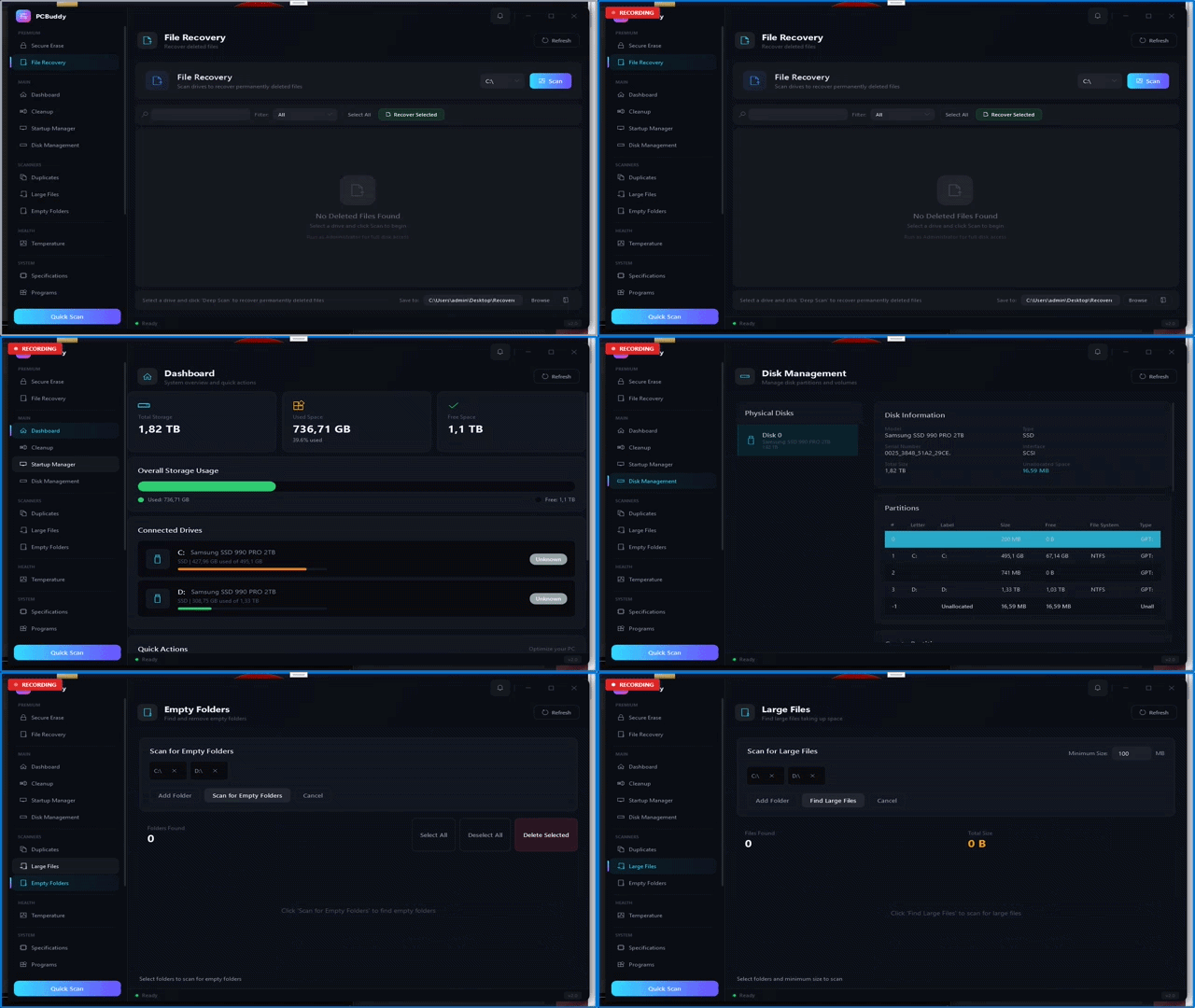
PCBuddy Screenshots
See PCBuddy in action
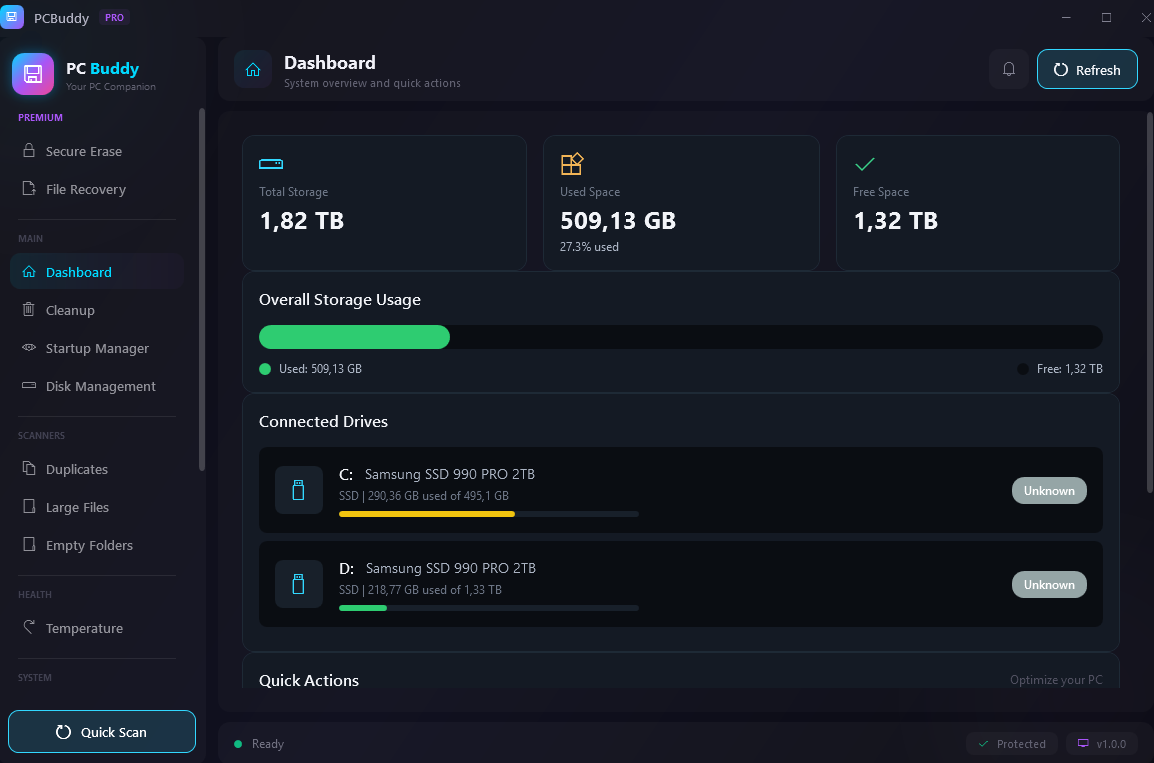
1
Main Interface
Clean, intuitive PC optimization dashboard
 2
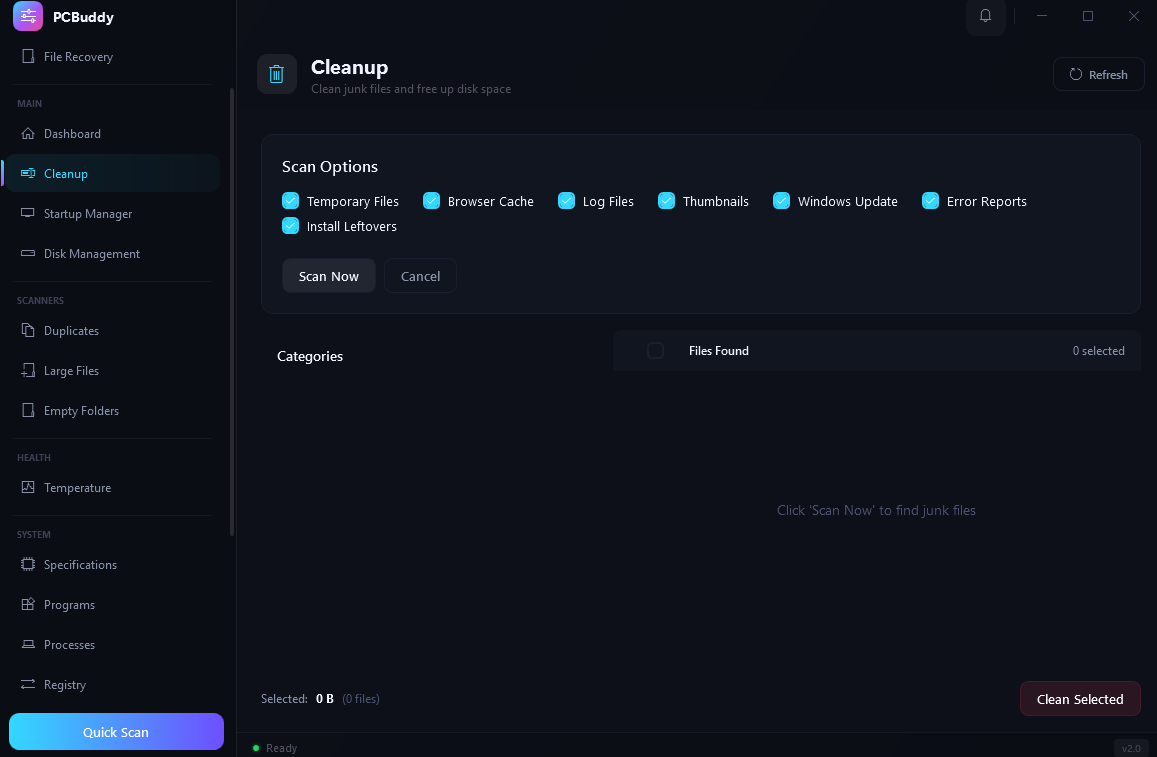
2
Cleanup
Remove junk files and free up disk space instantly
 3
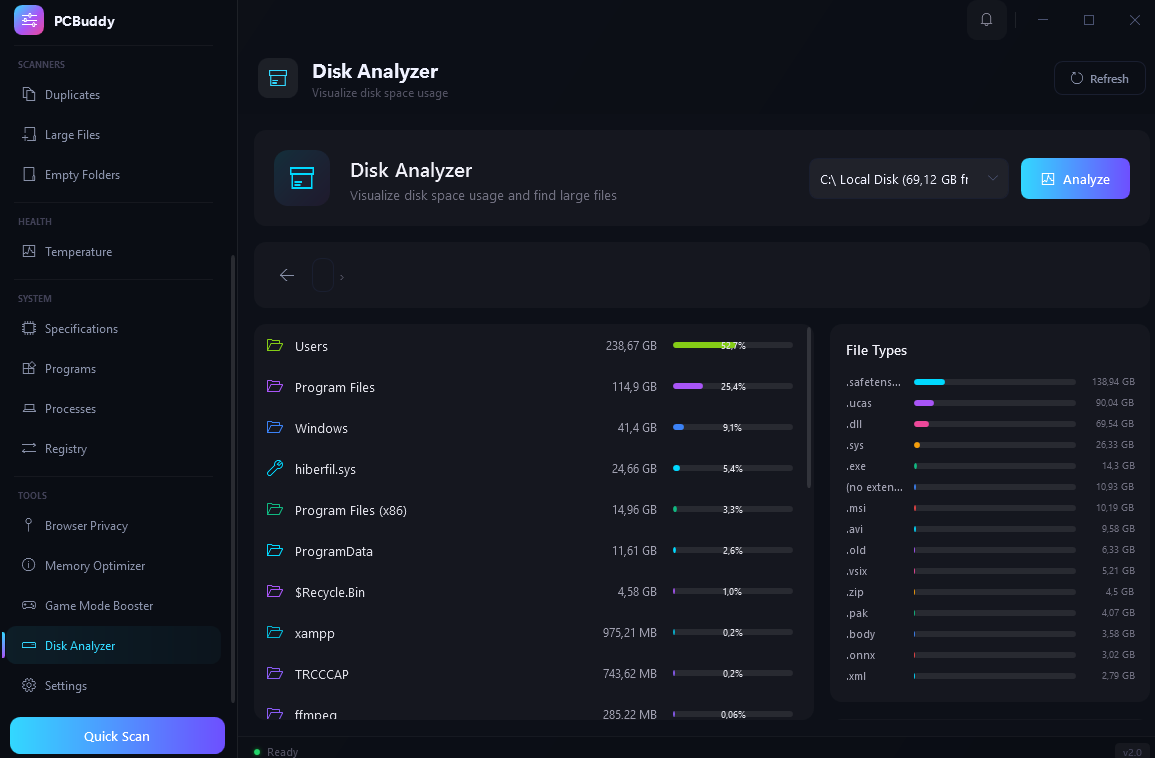
3
Disk Analyzer
Visualise storage usage and find large files fast
 4
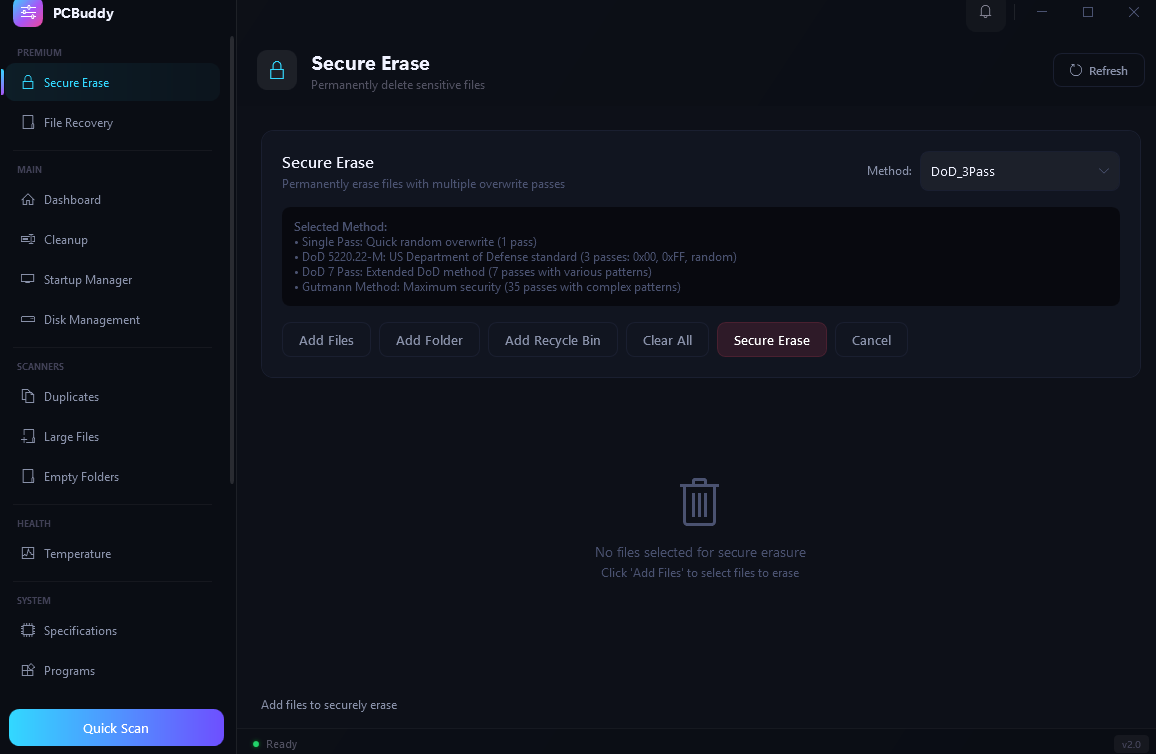
4
Secure Erase
Permanently delete sensitive files beyond recovery
Demo
Watch PCBuddy in action
System Requirements
Frequently Asked Questions
PCBuddy offers a free version with basic cleanup features and a Pro subscription starting at $9.99 per month. Cancel anytime with no long-term commitment. Annual plans are also available at a discount.
Yes. PCBuddy only removes safe-to-delete junk files and creates restore points before making registry changes. Your system data stays local and private.
PCBuddy removes temporary files, browser cache, system logs, invalid registry entries, and other junk that accumulates over time and slows down your PC.
Your PCBuddy license is tied to your account, not your device. Simply log in on your new device to restore access.
PCBuddy requires Windows 10 or Windows 11 (64-bit), a dual-core 2 GHz processor, 2 GB RAM, and 200 MB of free disk space. An internet connection is needed only for Pro license validation and update checks.
Get PCBuddy Today
Join thousands of users keeping their PCs running fast with PCBuddy
What Users Are Saying
Real feedback from PCBuddy users