PasswordBuddy
Your passwords, protected
A complete password vault for Windows. Store logins, payment cards, secure notes, and addresses — all encrypted with AES-256-GCM. Includes a password generator, passphrase generator, TOTP 2FA vault lock, password breach monitoring, and a recovery phrase. Available free with core features or Pro for the full suite.
Free version includes core vault storage and password generator. Pro adds breach monitoring, TOTP 2FA vault lock, hide vault inside a file, and priority support.
Why Choose PasswordBuddy
AES-256-GCM Encryption
Every password, card number, and note is encrypted with authenticated AES-256-GCM encryption
4 Vault Types
Store logins, payment cards, secure notes (text, code, markdown), and full addresses in one encrypted vault
Password & Passphrase Generator
Generate random passwords or multi-word passphrases with full control over length, symbols, and character rules
Breach Monitoring
Check every stored password against known breach databases — your passwords are never sent in full
Choose Your Edition
Both editions include the full application — Pro unlocks advanced features
PasswordBuddy Free
- Logins, cards, notes & addresses vault
- AES-256-GCM encryption
- Password & passphrase generator
- CSV import & export
- 12-word recovery phrase
- Password breach monitoring
- TOTP 2FA vault lock
- Hide vault inside a file
- Priority email support
PasswordBuddy Pro
- All Free features plus:
- Password breach monitoring
- TOTP 2FA vault lock with QR scan
- Hide vault inside a file
- Multiple vaults support
- Priority email support
- Monthly updates
Features
Everything you need to stay secure
Vault & Storage
- Logins, cards, notes & addresses
- Favorites for quick access
- Real-time search & category filter
- Creation & modification timestamps
- CSV import & export
Password Tools
- Random password generator (4–128 chars)
- Passphrase generator (3–10 words)
- Strength analysis with entropy score
- Auto-clear clipboard (configurable)
- One-click username + password copy
Security
- AES-256-GCM encryption
- TOTP 2FA vault lock with QR scan
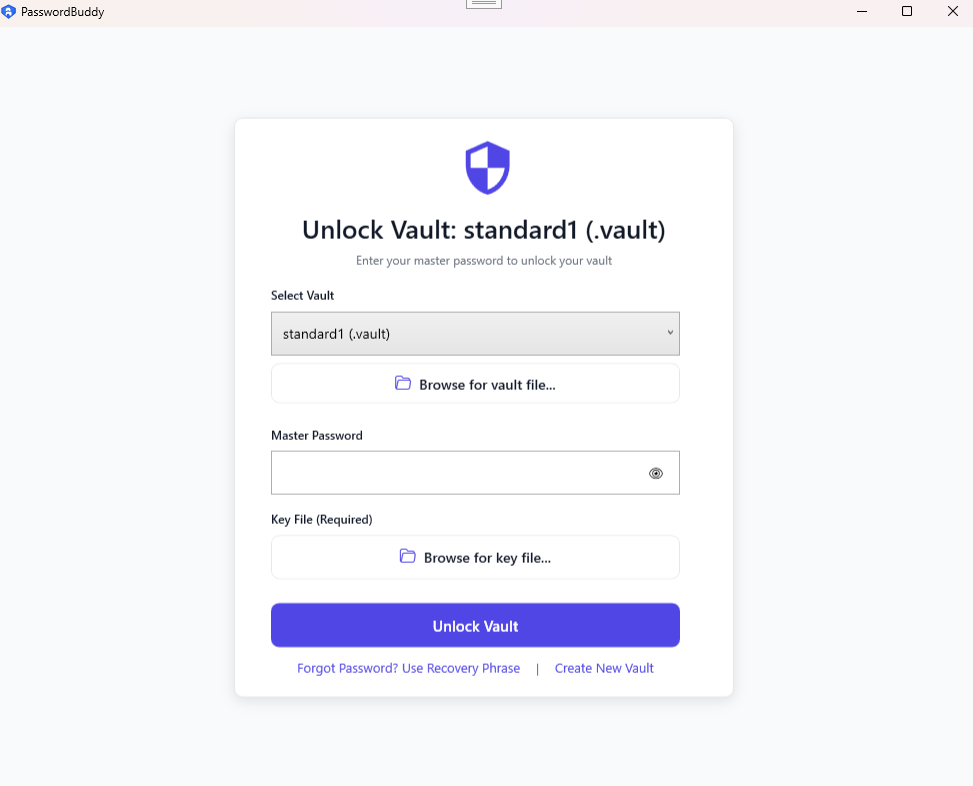
- Key file & second password support
- 12-word recovery phrase
- Auto-lock on inactivity, sleep & system lock
Advanced
- Password breach monitoring
- Hide vault inside a file
- Multiple vaults support
- Encrypted local database
- Light & dark theme
PasswordBuddy Screenshots
See PasswordBuddy in action
1
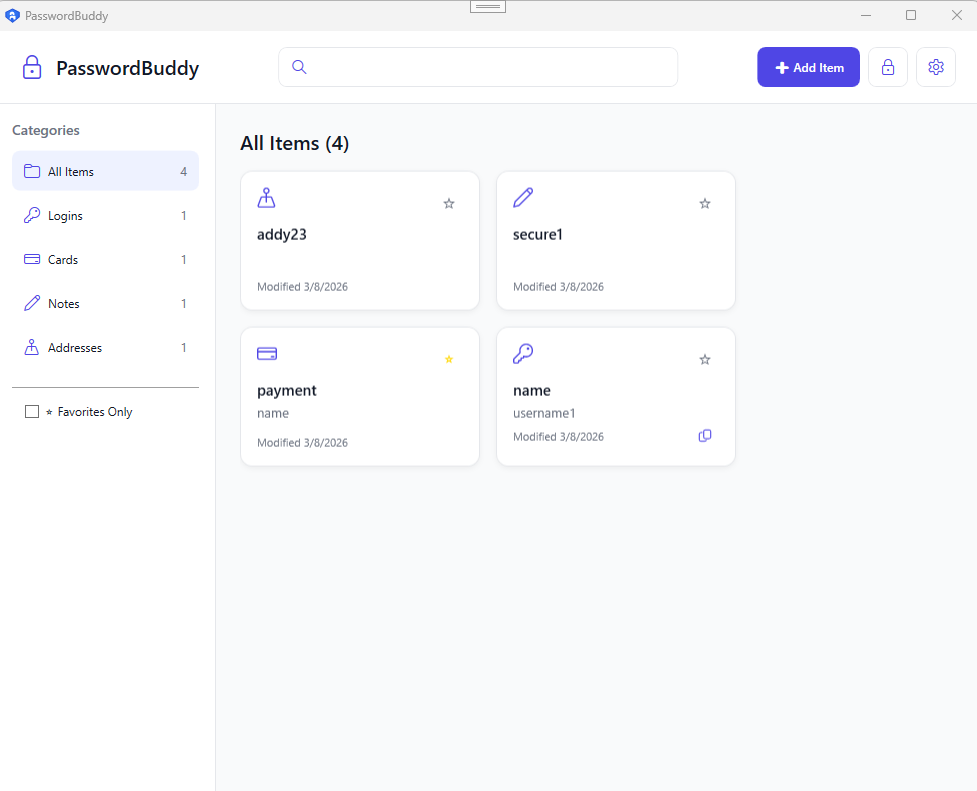
Password Vault
Clean vault overview with all your saved entries
 2
2
Entry Detail
Full entry view with copy, edit and security tools
System Requirements
Frequently Asked Questions
Yes, PasswordBuddy is free to download and use for core vault storage and password generation. Pro unlocks password breach monitoring, TOTP 2FA vault lock, hiding your vault inside a file, and priority support.
No. PasswordBuddy stores your vault entirely on your local device. Nothing is sent to external servers, so your passwords never leave your machine.
You can recover access using your recovery phrase, which is generated when a PasswordBuddy vault is created — store it somewhere safe. If you forget both your master password and your recovery phrase, there is no way to recover your vault. This is by design; no one, including us, can access your data.
Get PasswordBuddy Today
Never forget a password again with PasswordBuddy