Installer Studio
Build professional Windows installers in minutes
Create MSI, MSIX, and EXE packages with an intuitive visual interface. No coding required. Visual GUI editor, 4 project types, AES-256 encryption, code signing, and 6 professional themes.
Free version includes visual builder & basic MSI creation. Pro adds code signing, MSIX, CI/CD & more.
msiinstaller.com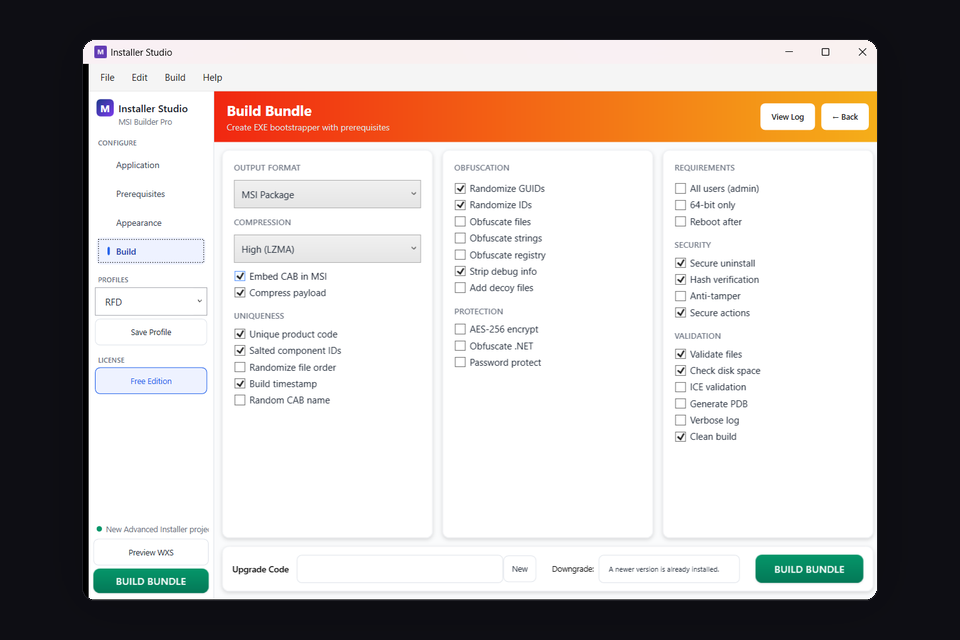
Key Features
Visual GUI Editor
5-tab workspace with drag-and-drop file selection, live preview, and real-time theme customization
4 Project Types
Standard MSI, Lightweight (~50KB stub), Advanced Burn Bundles, Wrapper MSI for repackaging
Advanced Security
AES-256 encryption, assembly obfuscation, anti-tampering, anti-debug, code signing
Enterprise Ready
Silent/minimal/standard UI modes for SCCM and Intune deployment
Choose Your Edition
Free includes the visual builder - Pro unlocks advanced features
Installer Studio
- Visual MSI builder
- File & folder management
- Basic registry entries
- Shortcut creation
- Standard themes
- MSIX & EXE output
- Code signing
- Custom actions
- CI/CD builds
Installer Studio
- All Free features plus:
- MSI, MSIX & EXE output
- Code signing integration
- Custom actions (C#, VBS, PS)
- All 6 Pro themes
- CI/CD command-line builds
- Prerequisites bundling
- Patch & upgrade creation
- Priority support
Installer Studio Features
Everything you need for professional Windows deployment
Package Creation
- Visual drag-and-drop builder
- Import existing projects
- Template library
- Multi-language support
Registry & Files
- Advanced registry management
- File permissions control
- Environment variables
- Service installation
Deployment
- Silent install parameters
- Group Policy deployment
- SCCM/Intune compatible
- Rollback support
Advanced
- Custom actions (C#, VBS, PS)
- Prerequisites detection
- Upgrade & patch creation
- Build automation (CLI)
Built for Developers, Loved by Enterprises
No Scripting Required
Create complex installers without writing a single line of code
Enterprise-Grade Security
Built-in code signing, checksum verification, and encrypted installer options
Lightning Fast Builds
Optimized build engine creates installers in seconds, not minutes
World-Class Support
Detailed documentation, video tutorials, and responsive support team
Loved by Developers
Installer Studio has completely transformed our deployment workflow. What used to take hours now takes minutes.
The code signing integration alone is worth the price. We've reduced our release process from a full day to under an hour.
We switched from a competitor and never looked back. The MSIX support is excellent, and the auto-updater has been a game-changer.
Installer Studio in Action
See the visual builder and configuration panels
 1
1
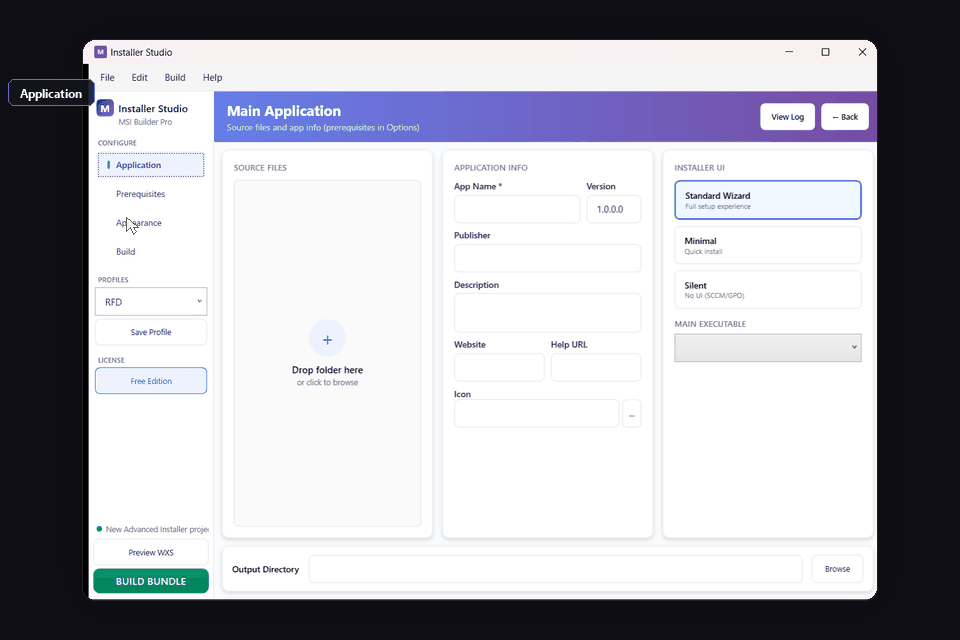
Application Setup
Configure source files, app info, installer UI type, and main executable
 2
2
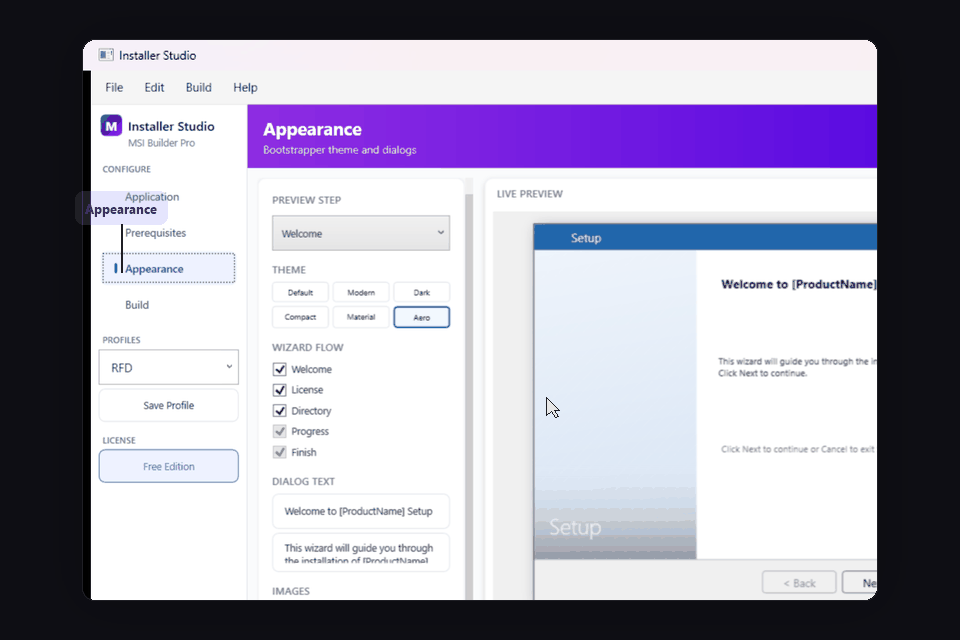
Appearance & Preview
Choose themes, customize wizard flow, and preview installer dialogs live
 3
3
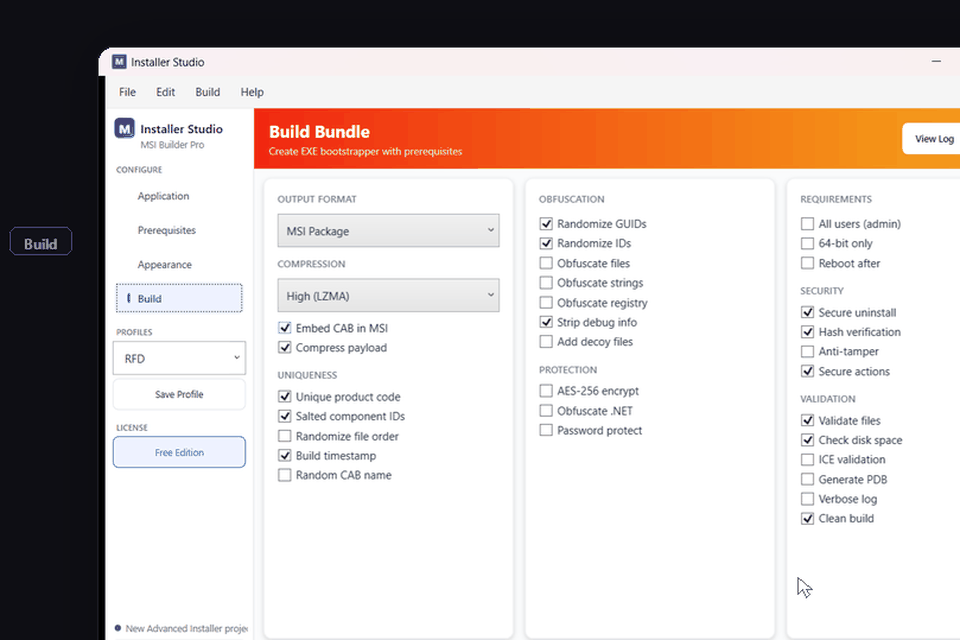
Build Configuration
Output format, compression, obfuscation, security, and validation settings
Demo
Watch Installer Studio in action

System Requirements
Frequently Asked Questions
Get Installer Studio Pro
Build professional Windows installers in minutes